
Introducing Poolside Desktop Assistant, for macOS
- Coding agents have outgrown the chat box
- One workspace to run it all
- Hand work from one agent to another
- Run a fleet, not a queue
- A layout for operating, not chatting
- Your history comes with you
- Chat mode, for thinking
- Connectors out of the box
- Fully offline, if your Mac can take it
- Get started
Table of contents
Most of our time at Poolside is spent building models. But a capable model is not a useful coding agent on its own. It needs a harness that gives it tools and runs the agent loop, and an interface that lets a developer direct, inspect, and review the work.
For the past year, our team has done its daily work inside tools we built for ourselves: pool, our agent harness and CLI, and the interfaces around it for running agents wherever we happen to be working.
Today, we’re making those interfaces available to everyone.
Poolside Desktop Assistant is a macOS app for running multiple coding agents across projects and repositories. The Poolside Assistant extensions bring the same experience into VS Code and Visual Studio.
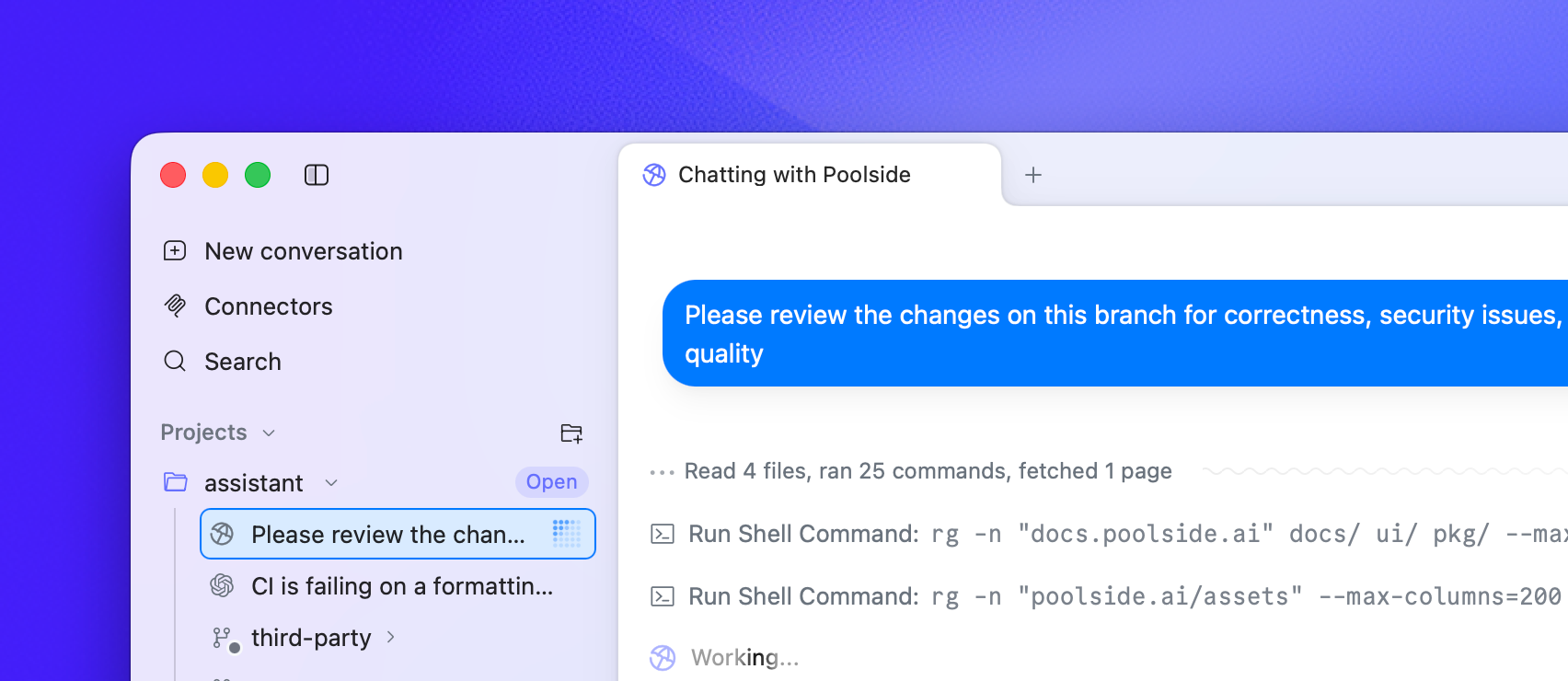
Out of the box, Poolside Assistant pairs pool with Laguna S 2.1, making this the most direct way to work with our models today.
But the Assistant is not limited to the Poolside stack. It is built on the Agent Client Protocol, or ACP, so compatible agents can run alongside pool. You can bring your existing Claude Code, Codex, or Gemini subscription, point pool at an OpenAI-compatible inference endpoint, or run an open-weight model locally on your Mac.
We don’t think developers should have to adopt one company’s entire stack to use a good model or agent. Our goal is to build the best vendor-agnostic place to work with coding agents.
Coding agents have outgrown the chat box
The models got good fast. What we wrapped around them didn’t move nearly as quickly.
A single chat column is fine when you’re asking a question or getting help with a function. It starts to creak the moment an agent is actually doing the work: reading through a repository, working in the terminal, changing files, running the tests, fixing what it broke, and staying at it for hours. One scrolling column was never built for that, and you feel it.
The real unit of work isn’t a message anymore, it’s a session, tied to a repository, a branch, its tools, its permissions, a runtime, and everything that’s happened so far. Once you see it that way, the interface has to change too.
And there is rarely only one session. You might have one agent implementing a feature, another investigating a bug, and a third reviewing the first agent’s work. Your role is no longer just to prompt them. It is to provide context, follow their progress, inspect what they produce, intervene when necessary, and decide what happens next.
That shift shaped the core design decision behind Poolside Assistant: the interface, the agent harness, and the model should remain separate and be composable.
Poolside Assistant uses ACP to connect the interface to the harness and, through it, the model. Any ACP-compatible harness can plug in without routing model calls through Poolside or changing its configuration. Claude Code and Codex continue to use the models and configurations they support. pool can run Laguna or connect to any OpenAI-compatible inference endpoint.
Within one workspace, you can run several agents at once, even across different harnesses. Each task can be isolated in its own repository or worktree, with conversations beside the relevant terminals, files, and diffs. You can also pass a session from one agent to another with its context intact.
It is an interface for orchestrating agents, not another chat box.
One workspace to run it all
Hand work from one agent to another
Different agents have different strengths. One might be great at planning while another is better at grinding through a long implementation. Every subscription also has a ceiling, usually discovered halfway through a task.
Conversations in Poolside Assistant are not welded to the agent that started them. You can hand off a conversation along with its context. Have one agent write the plan and another implement it. Ask Claude Code to review what pool built. Hit a Fable rate limit at 4 p.m. and carry on with another harness.
Because everything speaks ACP, the handoff is seamless.
Poolside Desktop Agent Handoff
Conversations in Poolside Assistant are not welded to the agent that started them. You can hand off a conversation along with its context. Have one agent write the plan and another implement it. Ask Claude Code to review what pool built. Hit a Fable rate limit at 4 p.m. and carry on with another harness.Run a fleet, not a queue
An interface that makes you wait for one agent to finish before starting another misses much of the point of agents.
Poolside Assistant runs multiple sessions in parallel. You can have Claude Code working in one repository, Codex investigating another, and pool somewhere else, all from the same window.
Parallel agents introduce a less glamorous problem. Give several of them the same checkout and they will eventually trample one another’s edits.
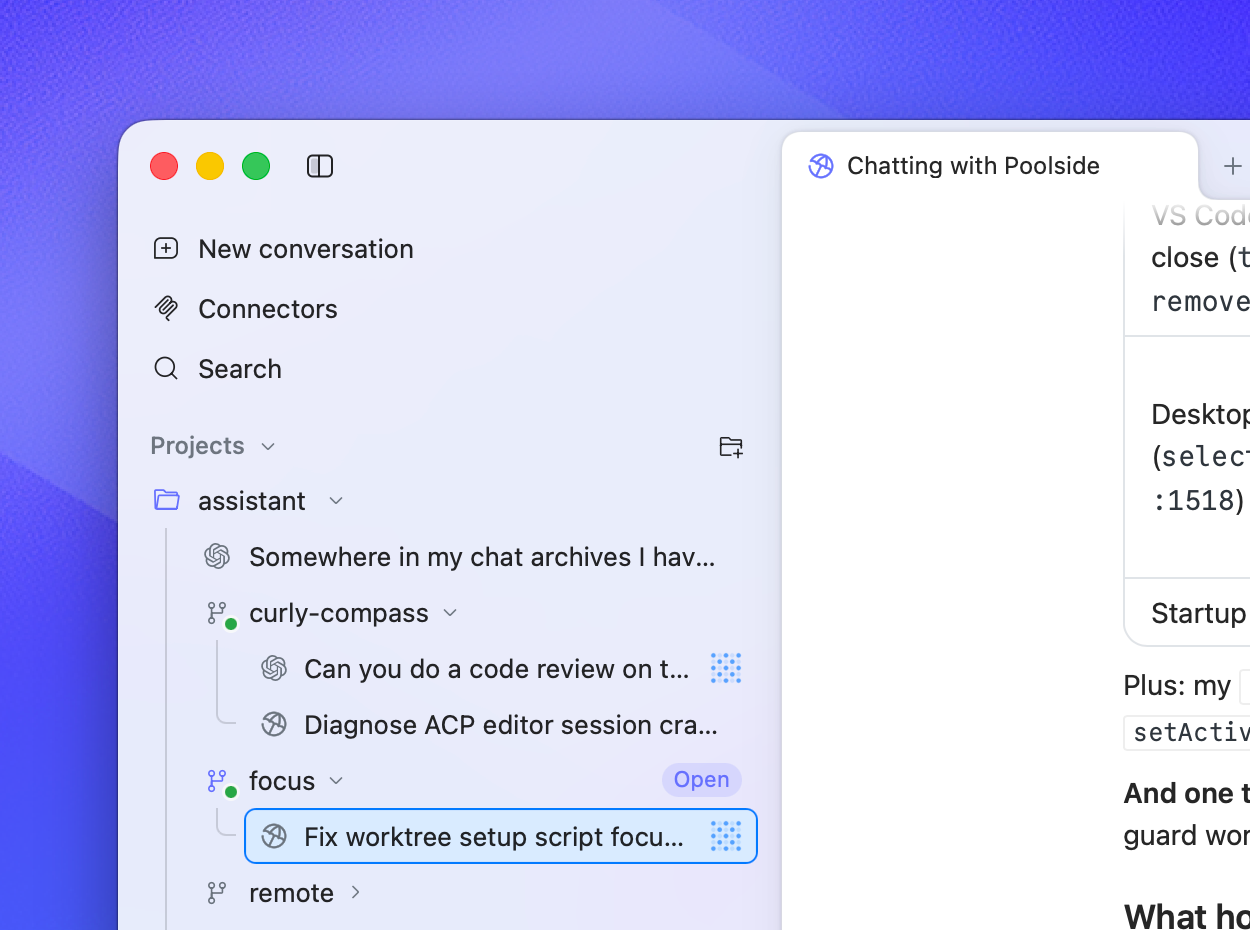
Poolside Assistant has native support for Git worktrees. Each task can run in its own isolated checkout and branch, so agents can work concurrently without fighting over the same files. You decide which changes are worth merging.
A layout for operating, not chatting
Supervising agents means moving between the conversation, terminal, file tree, current diff, and state of the repository. Poolside Assistant treats those as parts of the same workspace.
You can arrange tabs, splits, a secondary sidebar, and a bottom panel around the way you work. Keep conversations beside terminals, files, Git status, diffs, and GitHub status, then save the layout you prefer as your default.
Cmd+K moves between conversations and views without touching the mouse. File links can open inside Poolside Assistant or in your preferred editor.
Poolside Desktop Splits & Tabs
You can arrange tabs, splits, a secondary sidebar, and a bottom panel around the way you work. Keep conversations beside terminals, files, Git status, diffs, and GitHub status, then save the layout you prefer as your default.Your history comes with you
If you already use Claude Code or Codex, you can import your existing sessions from Settings → Archive. The same conversations are ready to continue in Poolside Assistant.
Chat mode, for thinking
Not everything starts as a task against a repository. Chat mode gives a conversation a scratch directory of its own, with space to ask questions, explore ideas, and do research before any of it deserves a branch.
Connectors out of the box
Poolside Assistant includes built-in connectors for Exa and Parallel web search, GitHub, Linear, Notion, Coda, Granola, Sentry, New Relic, Vercel, Supabase, Hugging Face, and more.
We do not yet have every connector developers will want. Tell us what is missing.
Fully offline, if your Mac can take it
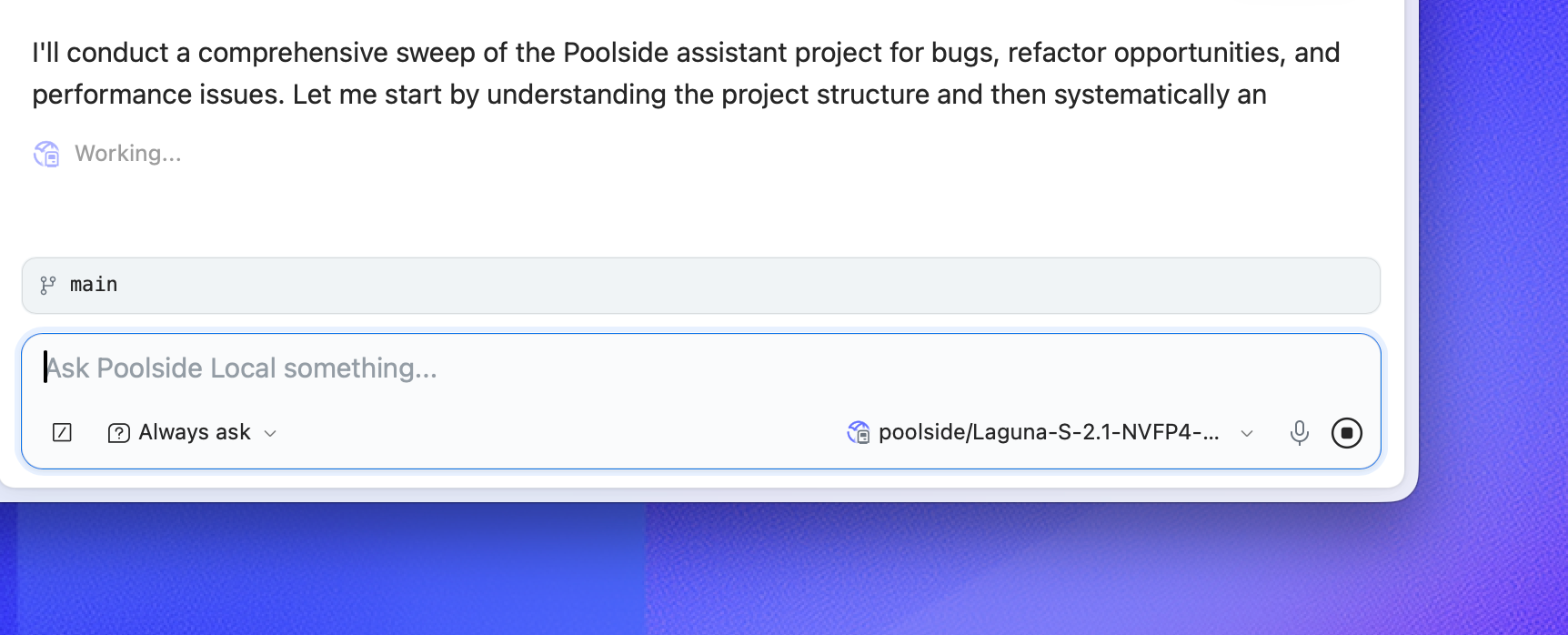
Local model support is built in through MLX.
You can download Laguna XS 2.1 for a completely offline coding setup, or search for other MLX-compatible models directly from Hugging Face. Poolside Assistant estimates how well a model should fit on your Mac before you download it.
Fair warning: local coding models still want a lot of unified memory. “The model loaded” and “I would choose to work with it all day” are different standards.
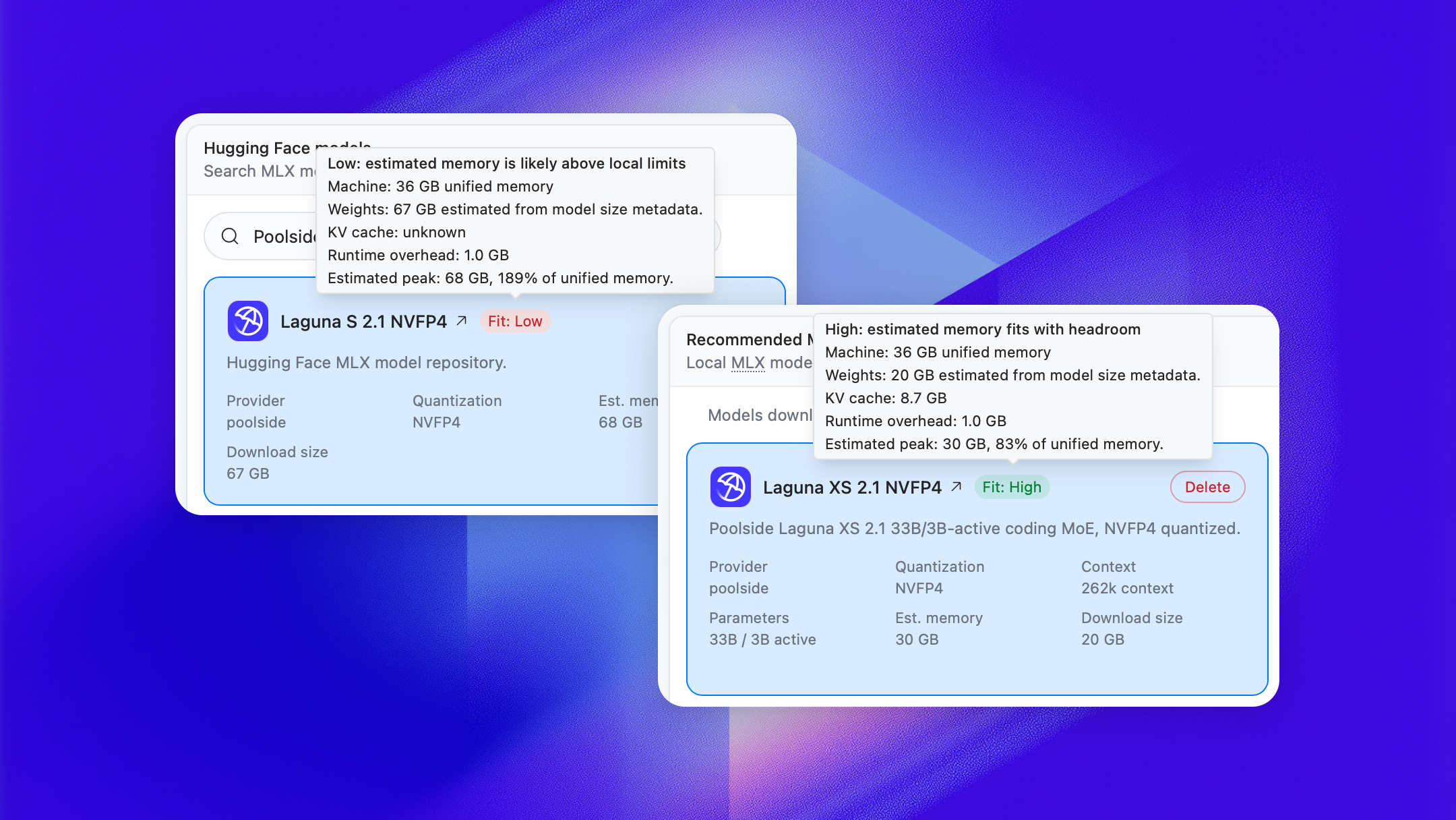
The fit estimate makes that tradeoff visible before you download tens of gigabytes. On capable hardware, you get a coding agent that can work without sending your code or prompts to a cloud service.
Get started
Building the best interface for coding agents still involves open questions: how their work should be reviewed, how much autonomy they should have, and what the developer’s role becomes when several agents are working at once. Nobody has settled answers yet, including us.
We already rely on Poolside Assistants for our own work. Now we want to see how it holds up on yours.
Poolside Assistant is available today for macOS, VS Code, and Visual Studio. You can also install pool to work from the terminal or connect Poolside agents to Zed and JetBrains through ACP.
Try it and tell us where it gets in your way, what is missing, and what you want it to do next. We’ve created a dedicated Discord channel for bugs, feedback, and feature requests.